How To Find Who Designed A Website ?
Sometimes you land on a website and instantly notice how clean, fast, or creative it looks. You may want to hire the same designer, study their work, or simply understand who built it. Knowing how to find who designed a website is useful for business owners, marketers, developers, and designers alike.
This guide explains multiple practical methods to identify the web designer or web design agency behind a website. Each method is simple, ethical, and commonly used in the web industry.
Why You Might Want to Find a Website’s Designer
Before jumping into the steps, it helps to understand the common reasons.
People usually search for a website designer to:
- Hire the same designer or agency
- Research competitors
- Learn design techniques
- Check credibility or authenticity
- Credit the creator for inspiration
Most websites leave some form of digital footprint. You just need to know where to look.
Start With the Website Footer
The footer is the most common and easiest place to check.
Scroll to the bottom of the website and look for phrases like:
- “Website by”
- “Designed by”
- “Developed by”
- “Created by”
Often, the designer’s name or agency name is linked directly to their website.
Why designers add footer credits
- Branding and exposure
- Professional recognition
- Referral traffic
Not every site includes this, but it’s always the first place to check.
Check the “About” or “Contact” Page
If the footer doesn’t help, move to the internal pages.
Look at:
- About page
- Contact page
- Credits page
- Legal or imprint page
Some businesses mention their web design partner in these sections, especially corporate or agency-built websites.
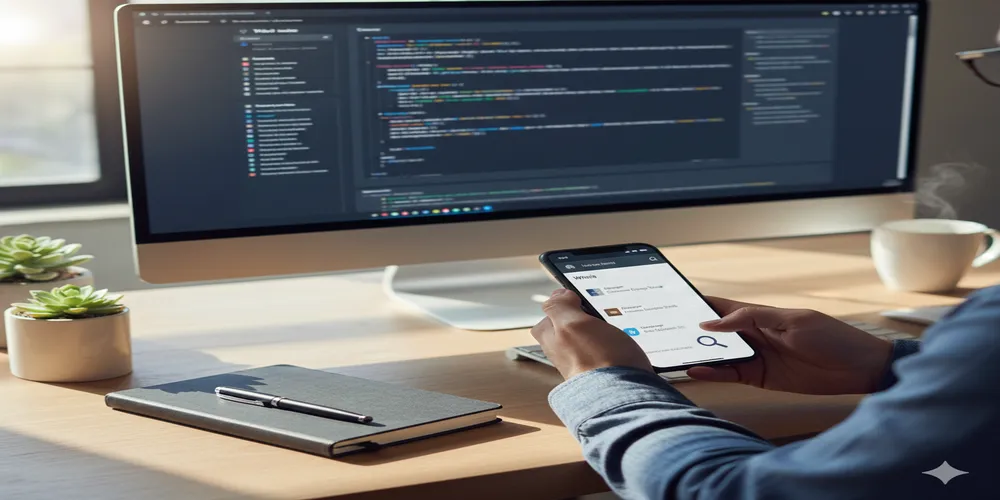
View the Website Source Code (Simple Method)
You don’t need to be a developer to do this.
How to check source code
- Right-click anywhere on the page
- Select “View Page Source” or “Inspect”
- Use the search function (Ctrl + F)
- Search for words like:
- designer
- developer
- agency
- created
- copyright
Many designers leave comments, metadata, or copyright notes inside the code.
Look for Copyright and Meta Information
Some websites include designer information in metadata.
Places to look:
- Meta author tags
- Copyright comments
- Generator tags (for CMS platforms)
This information may include:
- Individual designer name
- Web design agency
- Development company
While not guaranteed, it’s a common practice on professional builds.
Identify the Platform and Theme Used
Knowing the platform can lead you closer to the designer.
Tools and clues
- Page source shows WordPress, Webflow, Shopify, or other platforms
- Theme names sometimes appear in code or URLs
- Custom theme names may include agency branding
If it’s a custom theme, the agency name is often embedded in the structure.
Use Website Technology Lookup Tools
Technology detection tools can reveal helpful clues.
They often show:
- CMS platform
- Page builder
- Theme framework
- Hosting provider
If a site uses a premium theme or builder, you can:
- Look up theme demos
- Find agencies known for custom builds on that platform
This narrows your search significantly.
Search the Website Domain on Google
Sometimes the answer is already public.
Try searches like:
- “example.com web design”
- “example.com website designer”
- “example.com site by”
Press releases, portfolios, or agency case studies often mention the project.
Check the Designer’s Portfolio Pages
Many agencies showcase their work openly.
Once you suspect an agency:
- Visit their portfolio
- Look for the website listed
- Compare design elements and structure
Agencies often reuse design patterns, layouts, or interaction styles.
Use WHOIS Domain Information (Limited Use)
WHOIS data shows who registered the domain.
This method works best when:
- The website owner and designer are the same
- The agency registered the domain for the client
WHOIS may show:
- Company name
- Email address
- Organization details
However, privacy protection often hides this information.
Look at Website File and Image Names
This method takes patience but can work.
In page source or developer tools, check:
- Image file names
- CSS file names
- JavaScript file paths
Sometimes designers include:
- Agency initials
- Project codes
- Brand references
This is more common on custom-built websites.
Check Social Media and Announcements
Businesses often announce website launches.
Look at:
- Company social media posts
- LinkedIn updates
- Blog announcements
- Press releases
Search for phrases like:
- “New website launch”
- “Website redesign”
- “Proud to launch our new site”
Designers and agencies often get tagged or mentioned.
Contact the Website Owner Directly
If all else fails, ask politely.
Send a simple message:
- Compliment the website
- Ask who designed or developed it
- Explain why you’re asking
Most businesses are happy to share if approached respectfully.
What to Do After You Find the Designer
Once you identify the designer or agency:
- Review their portfolio
- Check client reviews
- Understand their specialization
- Compare them with others
- Reach out professionally
Never copy designs directly. Use them as inspiration and reference.
Ethical Considerations to Keep in Mind
Finding a website designer is normal. Misusing the information is not.
Avoid:
- Copying designs or layouts exactly
- Removing credits from websites
- Misrepresenting someone else’s work
Respect creative ownership at all times.
Common Reasons You Might Not Find the Designer
Sometimes, there is no visible designer information.
This happens when:
- The site was built in-house
- The designer requested anonymity
- The website uses a generic template
- Old sites removed credits over time
In these cases, focus on style analysis instead.
Final Thoughts
Learning how to find who designed a website is easier than most people think. With the right approach, patience, and ethical mindset, you can often uncover the creator behind a great website.
Start with the footer, explore the code, research online, and don’t hesitate to ask. Every website leaves clues—you just need to know where to look.This knowledge can help you hire better designers, learn from quality work, and make smarter digital decisions.